Silver
Live TV and the on-demand library in Full HD on one screen.
AED149per year
Was AED 229
- 40,000 live channels with EPG
- 90,000 films & series on demand
- Full HD streams
- 1 device
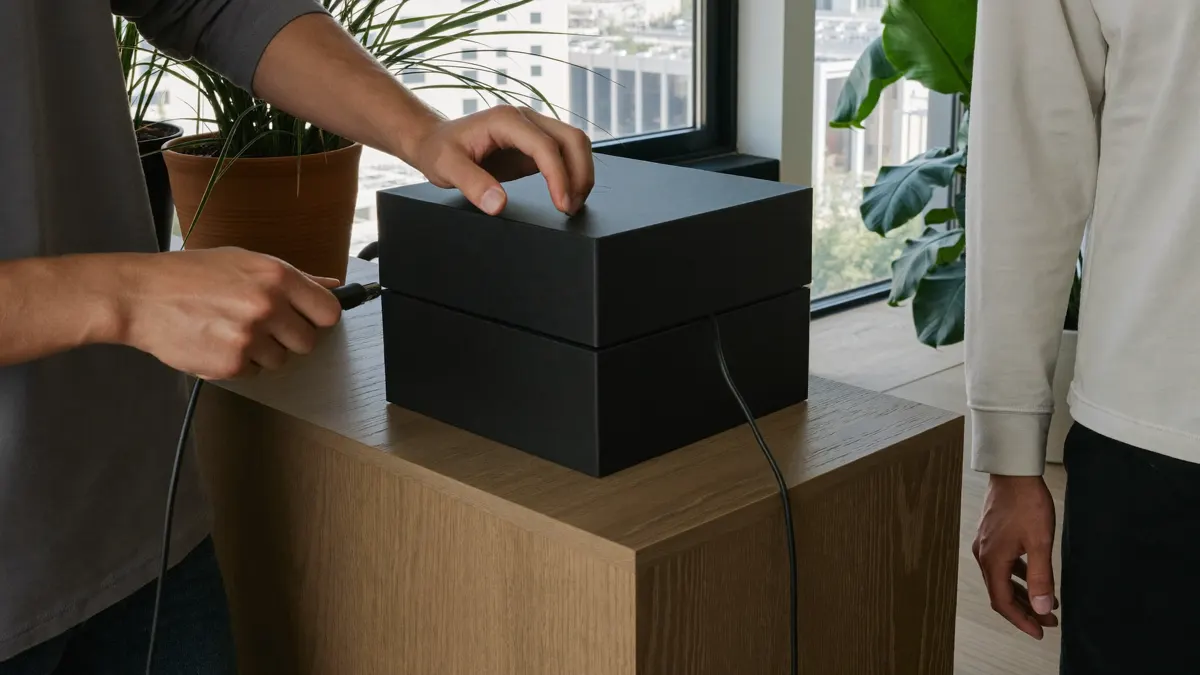
Hardware guide · buying in the Emirates
An Android TV box turns an ageing landlord television, or a smart TV with a thin app store, into a proper streaming screen. Electronics aisles across the Emirates carry dozens of them at very different prices. This guide explains what separates a sound purchase from a risky one, what to check about plugs, warranty and menu language before you pay, and how to get a player running once the box is home.
Start here
An Android TV box is a compact computer that connects to a free HDMI socket on the television. It runs a version of Android built for a remote control rather than a fingertip, so the home screen shows large tiles, many remotes carry a voice button, and an app store sits one click away. Add a player, enter your login, and the channel list fills the screen.
Plenty of flats in Dubai, Sharjah and Abu Dhabi come furnished with a set chosen years ago, and its own apps are slow, missing or no longer updated. Replacing the whole television is expensive and, in a rental, often pointless. A decent Android TV box costs a fraction of that, moves with you when the lease ends and keeps receiving app updates long after the TV’s built-in software has been abandoned.
Three kinds of streamer share the same shelf. Each Android TV box looks much like the next; what runs inside does not.
| Certified Android TV | Google TV | Generic Android build | |
|---|---|---|---|
| Official app store | Yes | Yes | Often missing |
| Security patches | Usually | Usually | Rare |
| Arabic system language | Built in | Built in | Depends on the build |
| Home screen | Rows of apps | Suggestions first, apps-only mode available | Tablet layout, awkward with a remote |
| Our view | Sound choice | Sound choice, newer | Avoid unless you know the maker |
Certification
Ways to pay
A certified Android TV box has passed Google’s compatibility checks. It ships with the official store, receives security fixes for a period, and runs player apps the way their developers tested them. A generic Android box is a different story: big spec sheets, low prices and usually a tablet edition of Android with no certification at all. Apps may refuse to appear in the store, updates seldom arrive and some come with unknown software already installed.
Treat any listing that promises a box “loaded” or “ready with channels” with suspicion. Those bundles tend to hide apps of unclear origin, and when they break there is nobody to call. A clean device, a reputable player and your own login are safer and far easier for us to help with.
Buying locally
The plug. UAE homes run on 220 to 240 volts with the square three-pin socket familiar to anyone from Britain. An Android TV box bought from a local retailer normally comes with that plug. Grey imports and parcels from abroad often arrive with a two-pin European or American plug, which means a travel adapter wobbling behind the TV cabinet. A loose adapter is a common cause of an Android TV box that restarts for no obvious reason.
The warranty. Ask at the counter, or read the listing, whether the maker’s warranty is honoured inside the UAE. Keep the receipt or the order confirmation together with the original packaging; most electronics retailers here want both if you return or exchange a faulty unit during the return window.
The menu language. Certified boxes let you switch the whole system between English and Arabic in the settings, with Arabic shown right to left. Player apps follow their own language setting, so a household can keep the system in Arabic for a grandparent while the player stays in English, or the other way round.
No single model wins for everyone; the best Android TV box for your lounge is simply the one that clears most of this list at your budget. Use it on the shop’s product page or on the box itself.
The official store icon or the certified logo appears in the photos or the specification.
2 GB of RAM at least. Big channel lists and a full programme guide need room to load.
8 GB works; 16 GB leaves space for a second player and its cache.
Needed for Gold 4K and Platinum, and useful later if you change television.
Support for 5 GHz, because the 2.4 GHz band in a tower block is jammed by every neighbour’s router.
A cable is the steadiest link for live sport. Some models need a USB adapter.
Older releases can block newer player apps.
The maker should have pushed at least one update in the past year.
Saves typing passwords and hunting for film titles.
Lets the TV remote drive the box and wakes both together.
A three-pin UAE plug and the maker’s own power supply, not a spare phone charger.
The shop should confirm the maker’s guarantee is valid in the Emirates. File the receipt.
5 questions
Still unsure? Our team replies on WhatsApp 7 days a week.
Ask a questionNo. Either system plays 4K when the hardware supports it. Your broadband needs around 15 Mbps free per Ultra-HD stream as well.
Not always, but you lose the easy return, the local warranty and often the right plug. If the saving is small, a UAE retailer is the calmer choice.
On certified models, yes. Change the system language in the settings; the player app keeps its own language option, so each part can be set separately.
No. We sell the subscription only. Buy the hardware wherever you like, and add a reputable player and your own login.
Usually power or heat: a travel adapter that sits loosely, a phone charger in place of the original supply, or a box shut inside a closed cabinet.
Setup
Connect the HDMI cable and the power, join your Wi-Fi or plug in a network cable, and sign in with a Google account so the store opens. Let the Android TV box fetch whatever firmware it offers on that first start; a fresh unit from a shop shelf is often months behind, and those updates tend to fix Wi-Fi and playback bugs. A reboot afterwards is worth the minute it takes.
Then open the store and choose a player. Smarters, TiviMate, XCIPTV and IBO Player all behave well on this hardware. Inside the player, pick the Xtream codes option and copy each field from our email exactly, including the port at the end of the server address. The first load of channels and guide data takes a minute or two. Our step-by-step Smarters Pro walkthrough shows each screen, and the yearly and lifetime plans are listed with prices in dirhams.

Months later
An Android TV box slows down for ordinary reasons: too many apps running in the background, storage clogged with cache, and heat building up inside a closed unit. An Android TV box slows down as its storage fills. Remove apps nobody opens, clear the player’s cache from its settings now and then, and leave a gap around the box so air can move.
A weekly power cycle clears memory at no cost. If channels start slowly only in the evening, try a cable before blaming the hardware; Wi-Fi in a crowded building is often the real cause. Should the box still feel sluggish, message us its model name on WhatsApp and we will suggest player settings that suit it.
Plans
Silver suits a Full HD Android TV box. Gold 4K and Platinum need a model that outputs 4K.
Live TV and the on-demand library in Full HD on one screen.
AED149per year
Was AED 229
Recommended
The bigger library in 4K, with 3-day catch-up.
AED269per year
Was AED 389
One payment. Dedicated server, up to four screens.
AED1,149one-time
Was AED 1,799
More screens, or pay once
Login details by email, usually within 5–30 minutes.
Choose a plan, tell us the model printed underneath your Android TV box, and we will guide the first sign-in.

IPTV UAE support desk · Written and kept current by the team that answers our WhatsApp line every day.