Silver
Live TV and the on-demand library in Full HD on one screen.
AED149per year
Was AED 229
- 40,000 live channels with EPG
- 90,000 films & series on demand
- Full HD streams
- 1 device
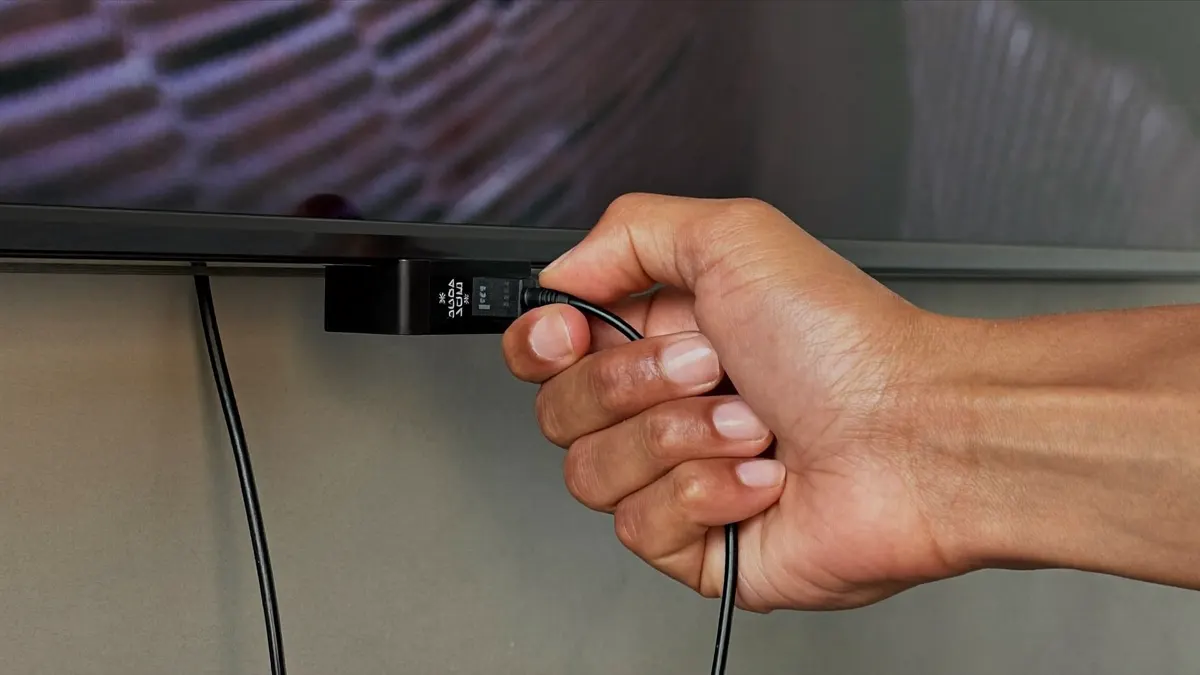
Hardware guide · boxes, sticks and smart TVs
An IPTV box is the small computer that runs your player app and sends the picture to the screen. This guide compares the types sold in the UAE, lists what to check before you pay at the counter, and explains when you can skip buying one at all.
Service plans
Whatever hardware you settle on, all three tiers play on it. The upper tiers suit 4K boxes and homes with several devices playing together.
Live TV and the on-demand library in Full HD on one screen.
AED149per year
Was AED 229
Recommended
The bigger library in 4K, with 3-day catch-up.
AED269per year
Was AED 389
One payment. Dedicated server, up to four screens.
AED1,149one-time
Was AED 1,799
More screens, or pay once
Login details by email, usually within 5–30 minutes.
The basics
People sometimes assume the channels live inside the IPTV box. They do not. The device is a small Android or Linux computer with an HDMI port. It runs a player app, the app connects over your internet to a service, and the service supplies the live channels and the library. Change the service and the same hardware keeps working.
That matters in the UAE, where some sellers hand over an IPTV box with an unnamed subscription already loaded. When it lapses, the seller may be impossible to find. Buying hardware and service separately avoids the trap: you own the device, and the service is a login you can see, renew and question. Our plans run on every common IPTV box; compare them on the plans and prices page.
How each type of IPTV box stacks up for internet TV in a UAE home.
| Fire TV Stick | Android TV box | MAG box | Apple TV | |
|---|---|---|---|---|
| 4K output | Yes (4K models) | Yes (most) | Yes (newer models) | Yes (4K models) |
| Choice of player apps | Wide | Widest | Built-in portal only | Good |
| Network port | Adapter needed | Usually built in | Built in | Built in on most |
| Easy to move between flats | Very easy | Easy | Easy | Easy |
| Suits | Renters, simple setups | Power users, older TVs | Classic set-top feel | Apple households |

Android boxes
An Android TV box runs Google’s television platform or a version of Android adapted for TVs, and installs players such as TiviMate, IPTV Smarters Pro, XCIPTV and IBO Player. That freedom of app is why enthusiasts prefer it as an IPTV box.
Quality ranges widely. Boxes certified for Google TV or Android TV keep getting updates and run current apps smoothly. Uncertified bargain boxes may sit on an old Android version that new players refuse to install on. Look for 2 GB of memory or more, 16 GB of storage, Wi-Fi 5 or newer and a wired network port. Our Android TV box buying guide goes deeper, and owners of a Mi Box can follow the Xiaomi box setup.
Fire TV
No device turns up in our WhatsApp chats more often. The stick plugs straight into the TV, takes power from a small adapter and runs the main player apps. The 4K versions handle Ultra-HD comfortably and come with a voice remote.
Its size suits renters: on moving day it fits in a jacket pocket with its charger and remote. The weak spot is the lack of a network port. If the TV is far from the router, add the official Ethernet adapter or a mesh unit near the screen. Note that some newer Fire TV models run a system that only installs apps from Amazon’s own store; ask us before buying if you want a specific player. Step-by-step help is in the Fire TV Stick setup guide.
MAG and Apple TV
A MAG unit is an IPTV box in the purest sense: it was built for internet TV and nothing else. Instead of installing apps, they load a portal address and the menu comes from the service. They are simple and stable, which suits anyone who wants a classic set-top experience, and we send MAG users portal details rather than Xtream codes. The price of that simplicity is flexibility: you cannot switch to another player app.
Apple TV sits at the other end: polished, quick and well supported. Its store has several capable players, and the slim remote is friendly for older relatives. In a home that already runs on iPhones, it is the natural pick. Neither is required if your television can already install a player.
Ignore the big numbers printed on an IPTV box package. These are the features you will notice.
Long channel guides load faster and apps crash less.
Room for the player, its cache and an app or two besides.
The single best upgrade for live sport and 4K.
Lets you use the 5 GHz band when the 2.4 GHz air is crowded.
Only matters if the TV is 4K and the plan is Gold 4K or Platinum.
Certified devices keep running new player versions.
Smart TVs
Often not, and skipping the IPTV box saves money. Recent Samsung and LG televisions, and any set running Google TV or Android TV, can install a player directly. The picture is excellent, you keep the remote you know, and there is one less device to power.
A separate IPTV box still makes sense in three cases: the TV is old and its app store no longer updates; you want a player, TiviMate for example, that your TV’s platform does not offer; or the TV has weak Wi-Fi and no network port while a box can be cabled to the router. Tell us the model number on the back of the set and we will say which case applies.
Electronics chains in the malls, online marketplaces and small shops in the older districts all sell streaming hardware. Whichever you use, run through these before paying.
| Check | What you want to see | Why it matters |
|---|---|---|
| Certification | Google TV or Android TV branding, or a known maker such as Amazon, Apple or Xiaomi | Certified devices keep getting updates, so new player versions still install |
| Sealed package | Factory seal intact, no apps added by the seller | Open-box units can carry unknown apps; reset them to factory settings before use |
| Warranty | A local warranty card or receipt that names the model | Faults in the first year are a swap, not a loss |
| Plug and power | UK-style three-pin plug, or an adapter in the box | UAE sockets are the square three-pin type |
| Outputs | HDMI that matches your TV: 4K for a 4K set | A 4K TV gains nothing from a Full HD-only device |
| Network | A wired port, or a stick with an Ethernet adapter available | A cable gives the steadiest picture for live sport |
| Remote | The original remote in the box | Replacement remotes for less common models are hard to find locally |

Choosing one
When choosing an IPTV box, start with the TV, not the shop shelf. A 4K lounge television deserves a 4K-capable device with a network port. A Full HD set in a bedroom gains nothing from that, and a basic stick is enough. If you rent and expect to move, a stick travels better than a box with a separate power brick.
Then think about who holds the remote. Grandparents often find the Apple TV remote or a stick’s voice remote easiest, while someone who wants a channel-number grid will like an Android box running TiviMate. Keep the receipt and the original remote either way. For homes that mainly watch South Asian channels, the desi TV box guide matches devices to languages.
The details differ by device, but setting up any IPTV box follows the same shape.
Plug it into HDMI and power, join the network and let it install system updates first.
Download a supported player app from the store. On a MAG box, skip this step.
Type the Xtream details or playlist link from our email, or the portal address on MAG.
Hide categories you never watch and build favourites so daily channels are one click away.
Menu-by-menu instructions for the player most people choose are on the IPTV Smarters Pro page. Background on satellite, cable and internet delivery is in the Wikipedia article on IPTV.
5 questions
Still unsure? Our team replies on WhatsApp 7 days a week.
Ask a questionSome players can. TiviMate in particular shows a numbered list and a classic grid guide, so if you order your favourites the way you used to watch, the remote feels much like the old satellite receiver.
Usually. Check that the power adapter suits UAE sockets, the square three-pin type, or use a local adapter.
If it can install standard player apps, yes. Remove the unknown preloaded apps first, or reset the box to factory settings.
Three to five years is typical. The limit is usually software: once the maker stops updates, new player versions may refuse to install. Big-brand devices tend to get updates for longest.
Add it to every IPTV box, stick and tablet in the house if you wish. The limit is on simultaneous viewing: whichever devices hold the login, a single-screen tier plays on just one of them at once, a two-screen tier on two.
Send us your TV model and where the router sits. We tell you whether you need a new IPTV box at all, and which plan suits the screen you have.

IPTV UAE support desk · Written and kept current by the team that answers our WhatsApp line every day.